Document Default Font
GenoPro offers you the option to pick a different font to display your
family tree. Most of the time, the font selection is a matter of
aesthetics, however sometimes picking the right font is important to display
names in a foreign alphabet, such as Chinese and Japanese symbols.
To select change the default font, click on the File menu, and select
Properties. GenoPro will display document properties
dialog and you will see the Font tab listing all fonts
installed on your computer.
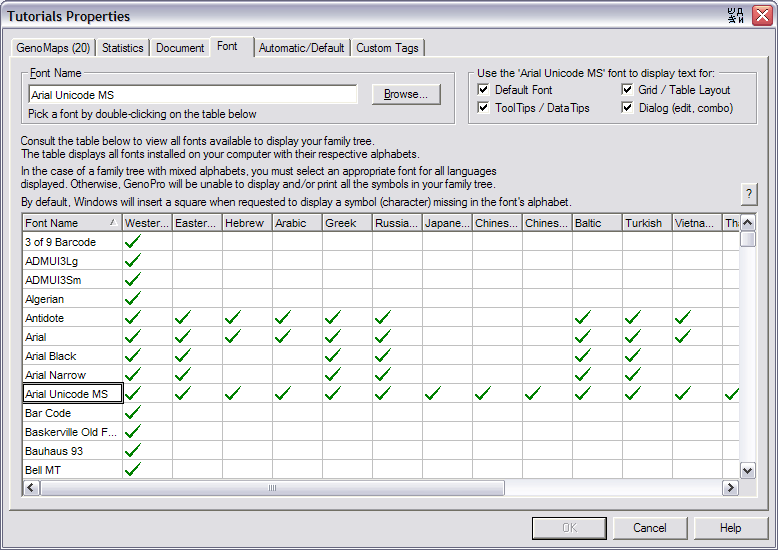
The Document Properties Dialog - Font Tab
To pick a font, simply double click on the font name.
GenoPro displays a checkbox for each font supporting a given alphabet (Hebrew,
Arabic, Greek, Japanese), therefore making it easy for you to pick a font
suitable for your family tree.
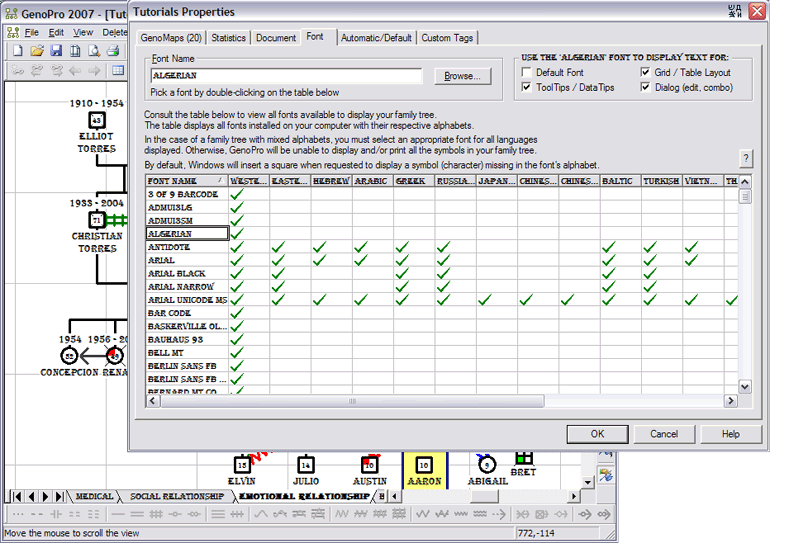
GenoPro using the Algerian Font
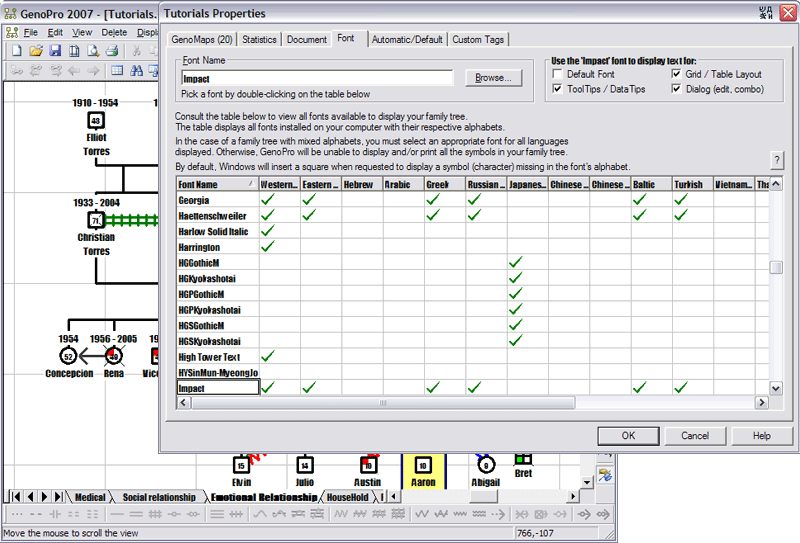
GenoPro dialog with the Impact Font selected
Changing the fonts in the Menus and Dialogs
If you wish to change the font in the Menus and Dialogs, then you have to
change the Windows Font from the Control Panel. This is because
GenoPro does not draw the text in the menus, dialogs,
button and checkboxes. Instead, it is Windows drawing such text using
the font specified in the Control Panel. Therefore, if you want
GenoPro to display text in a foreign language such as Greek, then you have
to change the Windows font from the Control Panel.
The easiest way of changing the Windows font is to right-click on your
desktop to bring the context menu and select Properties.
Then, click on the Appearance tab.
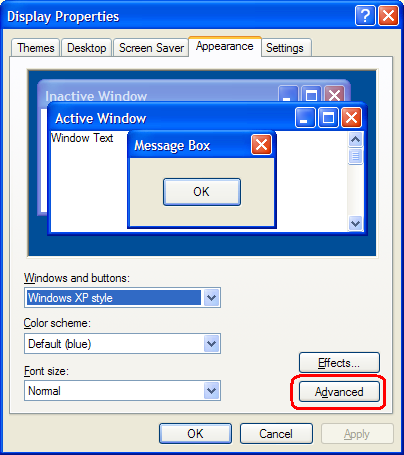
Then, click on the Advanced button to actually pick the
desired font. You will see the following dialog:
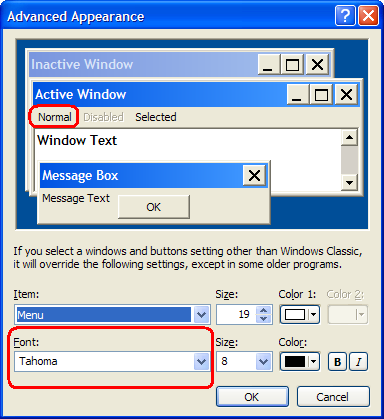
To change the font, click on the text you wish to change, such as the
menu text or the message box text, and then pick the font you wish.
When you are done, click on the OK button.
|