If you rather use a virtual machine approach, the following text was written by Mr. Alan Ward to share his experience using GenoPro on his iMac with VMFusion.
I am happy to share screenshots which will demonstrate how I have successfully run GenoPro on my 2006 Intel iMac. All the screenshots
were taken while I was running Windows Vista Home Premium using the VMFusion emulation software. Any Mac user wishing to try this can find a
30 day trial download of VMFusion at the company's website.
http://www.vmware.com/products/fusion/
My Intel iMac was purchased within days of becoming available in January 2006 and the only upgrade I have made to it is the installation of two 1 GB RAM chips to replace
the single 512 MB chip which was standard in 2006. Machines with less RAM will struggle to run Windows Vista, especially in emulation mode.
The program BootCamp is included with all versions of Mac OSX 10.5 (I have now updated to 10.5.3). Provided the computer's hard drive is not nearly filled, BootCamp permits
the partitioning of the internal hard drive without erasing any files, although it is a good idea to have a recent backup on an external drive. I created a 20 GB partition:
serious Windows users should probably create a larger partition.
The instructions for using BootCamp come with the program which is in the Applications Folder of the Mac HD. The instructions are clear and even novice users should have
no difficulty in installing BootCamp. Once the partition is created, Windows (any version) can be installed upon it.
Using the BootCamp partition required a choice to be made at Startup. Holding down the Option key during startup (or restart) generates a screen in which the operator can
select the Mac OS or the Windows OS. With the BootCamp partition, it is not possible to have Windows and Mac programs running simultaneously. However, for games and
other programs requiring the maximum processing power, this is the best approach, since emulation programs such as VMFusion or Parallels consume a lot of CPU resources and I
found that even simple games (Sudoku etc) ran very slowly with VMFusion. I have not tried Parallels. They also offer trial versions of the software.
I downloaded a trial version of VMFusion and installed it on the Mac. It does not require any partitioning of the drive. During set up the user is asked
to define the maximum size to be allotted to the program. As with BootCamp, I found the instructions for setting up VMFusion and the Windows program perfectly clear and it
worked with no difficulty. With VMFusion, it is possible to have windows open for both Mac OS and Windows OS simultaneously and to drag and drop files from one window to
the other in either direction. VMFusion has several modes, including full-screen which conceals all evidence of the underlying Mac OS. I found GenoPro ran equally well
regardless of whether I booted my machine up as a PC or booted as a Mac and ran the emulation program.
BootCamp is free to all users of Mac OSX 10.5 (Leopard). Support for MacOSX 10.4 (Tiger) has been discontinued. VMFusion is advertised at $79.95 but a $20
rebate is offered. A copy of Windows must be purchased: here in Toronto it is possible to buy OEM versions for around $100. The OEM version I am running was sold legally by a
retail store for about $100, with the proviso that Microsoft does not offer any telephone or online support. Some websites had suggested that OEM versions would not run under
BootCamp or VMFusion, but I have not encountered any problems so far.
For a Mac computer to run Windows as I have described, it must be the version using an Intel processor. Earlier Power Macs cannot do this, although there were
emulation programs available for them. I first ran your program using SoftWindows 95 on a 2002 iMac. This ran very slowly and would be hopeless for games, but it did work for
GenoPro.
For a satisfying Windows experience, a minimum of 2 GB RAM and Mac OS 10.5 is to be strongly recommended.
I became interested in your program when my niece in England sent me some files in 2004, showing details of our ancestors on both sides of the family. Some of these go back
as far as 1762. I have found your program to be intuitive and easy to learn and shall look forward to continuing to use it as my children add more descendants to the family.
I have bought a few books to assist me in coming to grips with Windows. The most useful of these is called Running Windows on your Mac, by Dwight Silverman. This is published
by Peachpit Press and sells for $34.99 US or $37.99 Canadian. It gives a beautifully clear description of the installation of Windows on a Mac, using BootCamp, VMFusion
or Parallels and compares the merits of the three approaches. It also provides several chapters of instructions for Mac owners using Windows for the first time
and for PC owners using Mac OS for the first time.
Mac owners love their machines for their elegance and reliability, but have been frustrated by their inability to run some excellent software that has only been created for
the Windows platform. I have found the Mac OS to be robust and trouble-free. In two and a half years, I have not experienced any crashes, virus problems or hardware failures
and shall undoubtedly continue to buy Macs as new developments occur. My PC friends have a wider choice of software, but experience far more problems with their OS.
Sincerely,
Alan
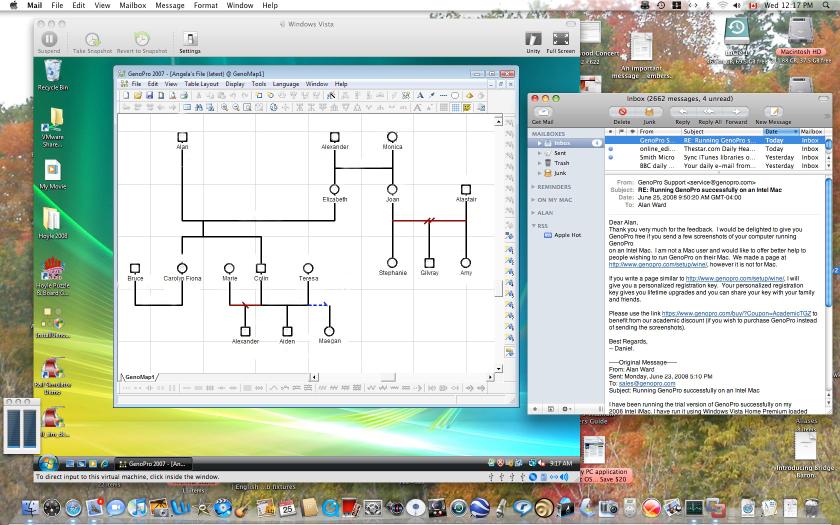 GenoPro on a Mac
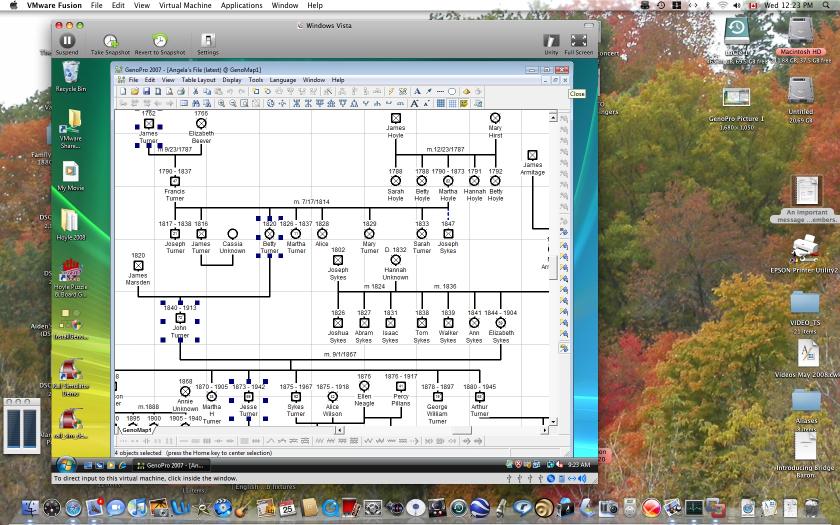 Family Tree on a Mac
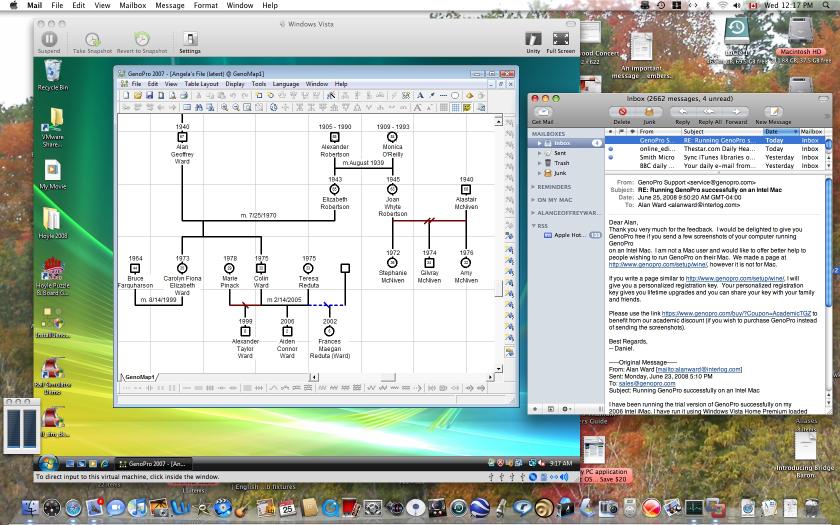 Displaying a genogram on a Mac
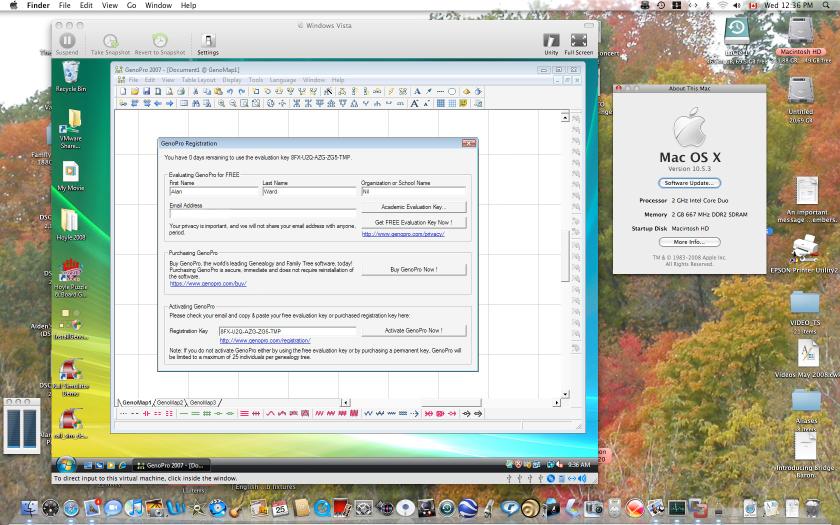 GenoPro Registration on a Mac